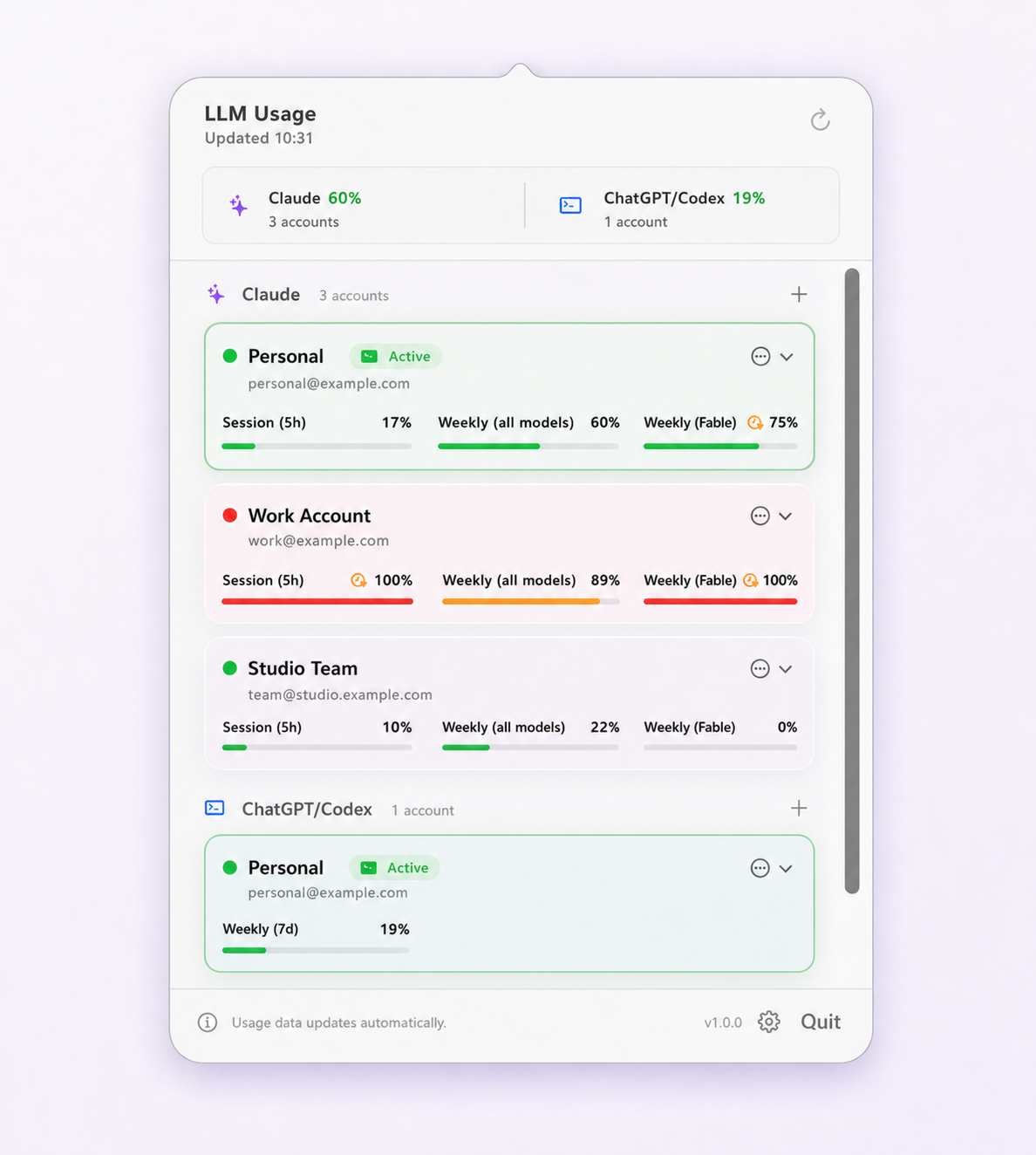
Checking, per CLI
Claude Code
Run /status in a Claude Code session. It reports the authenticated account —
email, organization and plan — along with version and configuration details. Use
/usage separately when what you want is remaining capacity rather than identity;
the two questions are related but the commands are not interchangeable. Since 2.1.210,
/status also shows a Login: Expired row when the saved login has
lapsed.
Codex CLI
Run codex login status. Codex CLI caches its own login independently of ChatGPT
on the web: in ~/.codex/auth.json by default, or in the macOS Keychain or memory
only, depending on cli_auth_credentials_store in ~/.codex/config.toml.
The IDE extension shares that CLI authentication rather than holding its own.
What these commands cannot tell you
Both read local state. They report the identity the CLI believes it holds, which is the right answer almost always — but if a switch left the two stores inconsistent, a local read can faithfully report the wrong thing. The authoritative check is a request that the provider answers, which is why verification after a switch is worth more than verification before one.
Where identity is actually stored
There are three separate locations, and understanding the split is what makes the failure mode predictable rather than mysterious.
- The
Claude Code-credentialsKeychain item — the working credential. This is what actually authenticates a request, and therefore what determines which account is billed. -
oauthAccountin the.claude.jsonconfig file — the account metadata: email, account UUID, organization name. This is what/statusdisplays. -
oauth:tokenCacheandoauth:tokenCacheV2in~/Library/Application Support/Claude/config.json— cached token state.
Nothing enforces agreement between them. They are written by the same tool at the same moment under normal operation, so they agree under normal operation — and a switcher that writes a subset breaks that invariant silently.
A fourth location can turn up uninvited. If a Keychain write fails, Claude Code falls back to
a plaintext ~/.claude/.credentials.json (mode 0600). A leftover copy of that file
could shadow a fresh login, so /login appeared to succeed and the next prompt said
"Not logged in" or "Login expired". Claude Code 2.1.286 fixed that, but on an older version the
file is worth checking for. Anthropic's own route to several accounts, a separate
CLAUDE_CONFIG_DIR per account, sidesteps the split by giving each directory its
own Keychain entry.
How the two disagree in practice
This is not hypothetical. It was reported against Claude-Usage-Tracker in
issue #175, in unusually precise terms: switching profiles correctly updated the Keychain credential —
confirmed by reading subscriptionType back out of the Keychain and watching it
change — while oauthAccount retained the previous profile's email, account UUID
and organization name. The result was that /status displayed the wrong account
after every switch. That issue has since been closed, but the failure class is the one to
understand: the switch worked and the label lied.
The reason it is expensive is that nothing errors. There is no failed command to notice and no warning to dismiss. You look at the account name, see the one you expected, and work for three hours against a different subscription — sometimes one with usage credits (formerly extra usage) turned on, which bill at API rates.
The defence is for the tool to verify rather than report. Limit Lifeboat confirms which account the CLI actually landed on after every switch, and rolls the switch back if it cannot complete that confirmation; when a safe rollback is not possible it keeps a protected recovery directory and says so rather than guessing. How the alternatives handle verification is covered in the switcher comparison.
"I switched accounts and it still says my limit is reached"
This is the most common way people discover the problem. In rough order of likelihood:
- The switch did not complete. Check the active identity first. If it still names the depleted account, nothing else in this list applies.
- An existing session is holding the old credential. A Claude Code session
that started before the switch keeps the credential it started with. Restart the session —
and note that on macOS an IDE extension tab may need reopening rather than just reloading.
For Codex 0.156 and later, a shared background app-server daemon keeps the previous login
in memory until it is restarted;
codex app-server daemon restartclears it. - You are reading the limit from a different surface. A limit message in the browser reflects the browser's session, not the CLI's.
- The reading is stale. Usage figures are cached by every tool that shows them, including this one. A number from twenty minutes ago is not evidence about now — see why usage numbers disagree.
- The second account is genuinely depleted too. Quotas are separate and provider-enforced. Switching gives you access to that account's own allowance; it does not pool, merge or extend anything. If both are spent, see what to do when the limit is reached.
Browser, desktop app and CLI are separate
Each surface holds its own session. Signing into claude.ai in a browser does not change which account Claude Code uses, and switching Claude Code does not sign the browser in or out. The same separation applies to chatgpt.com and Codex CLI, with the wrinkle that the Codex IDE extension shares the CLI's authentication and therefore follows a CLI switch.
This matters most in the employer-provisioned case, where the browser is signed into a work account and the CLI is meant to be on a personal one, or the reverse. Keeping that boundary visible is the subject of work and personal accounts, and where the policy line actually sits is covered in are multiple accounts allowed.
Questions and boundaries
How do I see which Claude Code account I am logged in as?
Run /status inside Claude Code. It reports the authenticated account, including the email and organization. For Codex CLI the equivalent is codex login status. Both read local state, so they tell you what the CLI believes rather than what the provider just charged.
Why does Claude Code show the wrong account after switching?
Because the credential and the displayed identity are stored separately. The credential lives in the Claude Code-credentials Keychain item; the displayed account comes from the oauthAccount field in the .claude.json config file. A switcher that updates the first and not the second leaves the CLI authenticating as one account while reporting another.
I switched accounts and it still says my limit is reached. Why?
Three common reasons: the switch did not complete and you are still on the depleted account; a Claude Code session started before the switch is still holding the old credential; or you switched the CLI while reading a limit from the browser session, which is a separate login. Check the active identity first, then restart the session.
Does the browser session tell me which account the CLI is using?
No. claude.ai in a browser, the Claude desktop app, and Claude Code each hold their own session. The same is true of chatgpt.com and Codex CLI. Being signed into one account on the web says nothing about which account your CLI will bill.
Is checking the account after a switch really necessary?
It is the difference between a switch that worked and a switch that appeared to. The cost of getting it wrong is not an error message — it is an afternoon of work billed to an employer or client who did not authorize it, which you find out about later.