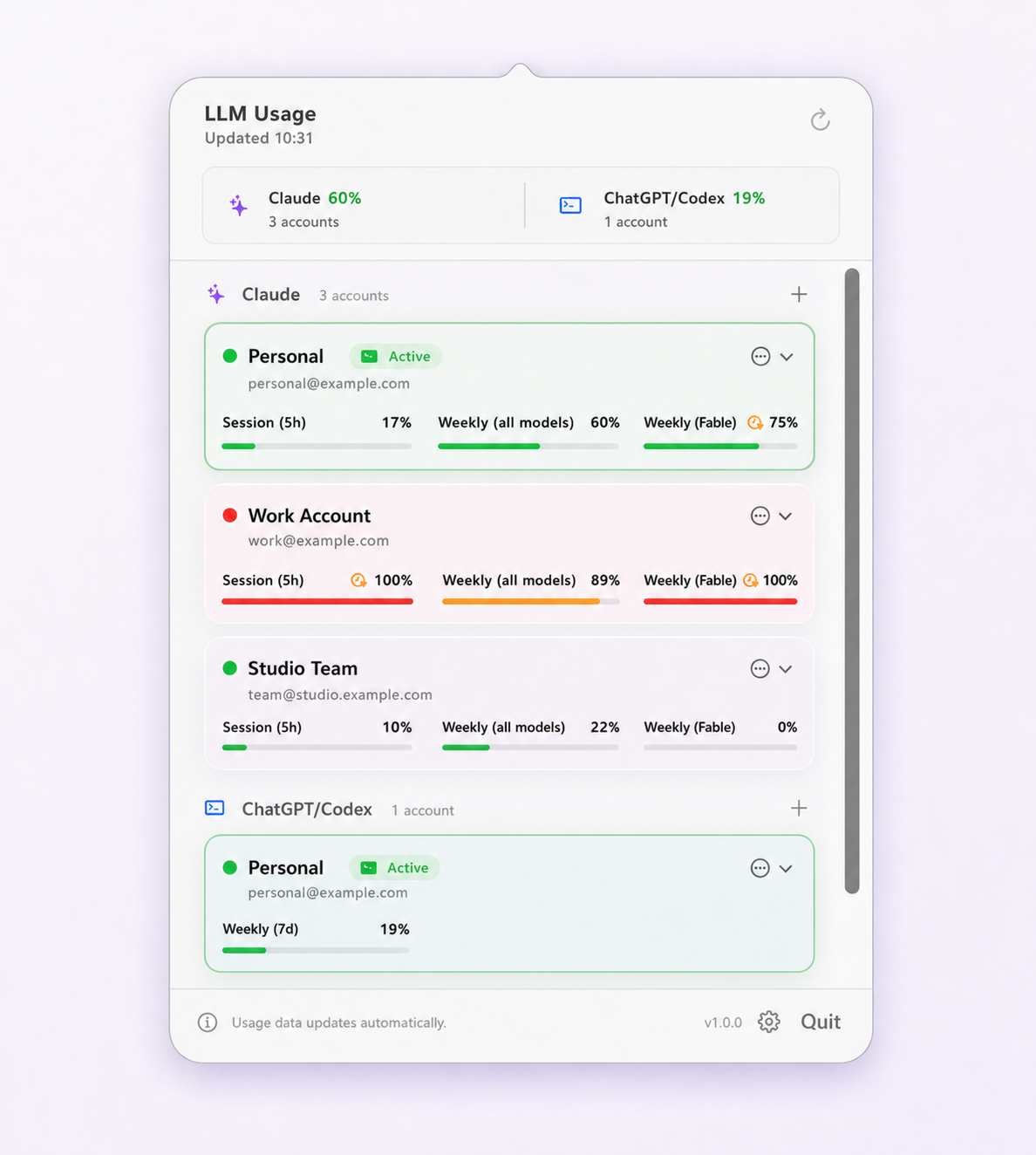
What windows does Claude Code report?
Anthropic reports usage as a set of windows rather than a single balance. The ones you will see are:
| Window | Length | Covers |
|---|---|---|
| Session | ~5 hours (300 minutes) | Short-term consumption, rolling |
| Weekly, all models | 7 days (10,080 minutes) | Everything you run in the week |
| Weekly, model-scoped | 7 days each | One model family, tracked on its own |
Exactly which windows appear depends on your plan and on what Anthropic currently reports.
Some accounts see a scoped window for a heavier model alongside the all-models one; others do
not. Treat the set you actually see in /usage as the real one, not a list from an
article.
Fable models are the clearest example. On Max, Team Premium and Enterprise Premium, Fable
shows as its own weekly row in /usage and can use up to half of the weekly
limit, but that usage counts against the same weekly limit rather than coming on top of it.
On Pro and on Team or Enterprise Standard seats, Fable has been
usage-credits only since 20 July 2026,
so it never appears as a plan window there.
The window lengths have not changed, but the allowances inside them do move. With the Opus 5.5 release on 22 September 2026, Anthropic said it had raised five-hour limits on Pro, Max, Team and seat-based Enterprise plans, without publishing new numbers.
Why the session window does not reset all at once
This is the part that surprises people. The session window is rolling, not a bucket that empties on the hour. Consumption from roughly five hours ago ages out gradually, which means capacity returns in a trickle rather than all at once.
The practical consequence: a heavy burst at the start of a working session keeps pressing on your remaining capacity for the next five hours. If you exhaust the window at 10am, you do not get everything back at 3pm — you get back whatever you spent between 10am and 10:15am at around 3:15pm, and so on. Planning a long task right after a heavy burst rarely works out.
Model-scoped windows change what you should do
When a scoped weekly window is the constraint, you are not out of capacity — you are out of capacity for that model. The all-models weekly window may still have plenty left.
That distinction matters because it opens an option the other windows do not: switching to a lighter model can let you keep working immediately, with no waiting and no account change. Before assuming you are blocked for the week, check which window is actually at zero.
Reading the numbers accurately
/usage inside Claude Code is the authoritative view, and
claude.ai/settings/usage shows the same picture in the browser. Anything else,
including this project, is a convenience layer over those sources.
Two things make a local reading misleading if you are not careful about them:
- Age. A number fetched twenty minutes ago is not a live number. Limit Lifeboat marks a reading stale after 30 minutes and shows its age rather than presenting it as current.
- Which account it belongs to. An inactive saved account can only show its last successful reading. If that account's login has expired, the figure could be hours old.
Pace is the other missing piece. Forty percent remaining means something different depending on whether the last hour consumed two points or twenty. Local history makes that visible; a single percentage does not. The guide to why usage numbers disagree covers which reading to trust.
Planning work around the windows
- Check before a long task, not during it. The cost of a task is not knowable in advance, but the room you have is.
- Read the reset time, not just the percentage. Twenty percent with a reset in twenty minutes is a completely different situation from twenty percent with four hours to go.
- Identify which window is tightest. If it is a model-scoped one, changing model is the cheapest fix available.
- Expect the weekly window to bite late in the week. Session limits interrupt an afternoon; weekly limits interrupt a Thursday.
If you have already hit a limit, the options at that point are a short list, and waiting is not always the best one. For the equivalent picture on the other provider, see Codex CLI rate limits explained.
Questions and boundaries
How long is the Claude Code session window?
Roughly five hours, and it rolls rather than resetting on a fixed clock. Usage from about five hours ago frees up gradually as time passes, so heavy consumption early in a session keeps weighing on you until that block ages out.
What is the difference between the weekly and the model-scoped weekly limit?
The weekly all-models window covers everything you do across the week. A model-scoped weekly window covers one model family in particular, so a session can be blocked on the Opus window while the all-models window still has room. Dropping to a cheaper model can keep you working when only the scoped window is exhausted.
Can I reset a Claude Code limit early?
Normally, no. The windows are enforced by Anthropic and you wait for them to roll over. The exception is a one-off: alongside Opus 5.5 in September 2026, Anthropic gave subscribers a saved rate-limit reset they can use when they choose. Beyond that, the supported ways to get more capacity are usage credits (formerly called extra usage) and higher plan tiers.
Does checking usage consume any of my limit?
Running /usage does not submit a coding prompt or a model turn, so it does not meaningfully consume your allowance. The same is true of reading usage through the provider's usage services.
Why does my remaining percentage differ between tools?
Different tools read from different sources and at different times. Anthropic's own display is authoritative. A local reading has an age, and a value from an inactive or expired login is a last-known figure rather than a live one.